Agentic operations
for BullMQ
Monitor queues, debug failures, and manage schedulers from one dashboard. Or hand the pager to your AI agent: Claude, ChatGPT, and Cursor can triage and fix jobs through Durabull MCP.
Source-available · Free during beta · Cloud, desktop, or self-hosted
Trusted by teams running BullMQ in production
Your queues,
inside every agent.
Durabull MCP gives Claude, ChatGPT, Cowork, Cursor and any MCP client scoped access to your BullMQ fleet. Ask what broke, see the evidence, and approve the fix without leaving the chat.
Durabull MCP
OAuth 2.1 · 30 tools · MCP Apps
Ask in plain language
30 MCP tools cover queues, jobs, logs, schedulers, workers, alerts, and Redis health. Your agent picks the right ones.
See it, not just read it
In Claude, Cowork, and ChatGPT, answers arrive as Queue Explorer, an interactive Durabull app inside the conversation.
Act with your approval
Read access is the default. Retry, promote, pause, and alert actions are separate opt-in scopes, and calls are audit-logged.
https://app.durabull.io/mcpThe real Queue Explorer MCP App, running on fixture data. Click around.
Works with the agents your team already uses
Documented setup
Claude
by Anthropic
Connector + interactive app
ChatGPT
by OpenAI
Plugin + interactive app
Cowork
by Anthropic
Connector + interactive app
Claude Code
by Anthropic
Plugin + 9 skills
Codex
by OpenAI
Plugin + 9 skills
Any remote MCP client · not yet tested by Durabull
Cursor
by Anysphere
Standard remote MCP
Muse
by Meta
Standard remote MCP
Grok
by xAI
Standard remote MCP
GitHub Copilot
by GitHub
Standard remote MCP
Windsurf
by Windsurf
Standard remote MCP
Gemini CLI
by Google
Standard remote MCP
Product names and logos are trademarks of their respective owners and are shown to indicate compatibility, not endorsement. Claude, Cowork, ChatGPT, Claude Code, and Codex have documented Durabull setups. Other clients are listed for standard remote MCP and have not been tested by Durabull; support varies by client, plan, and version.
Why Durabull
Production queue operations, engineered properly.
Zero integration tax
Inspect queues and jobs directly through Redis without a worker SDK. Enable BullMQ worker metrics to populate throughput charts.
connect redis → see queues → fix failures
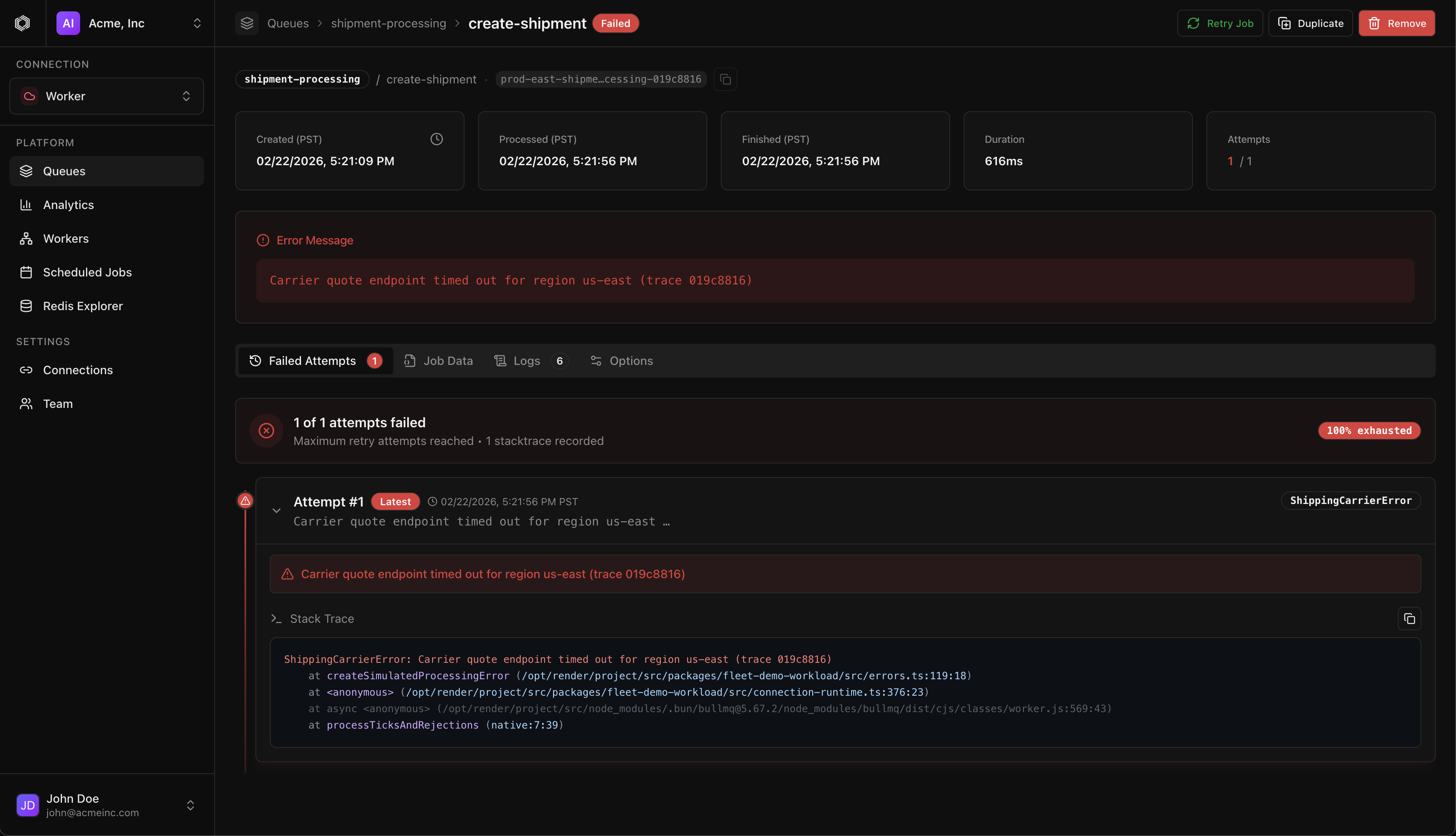
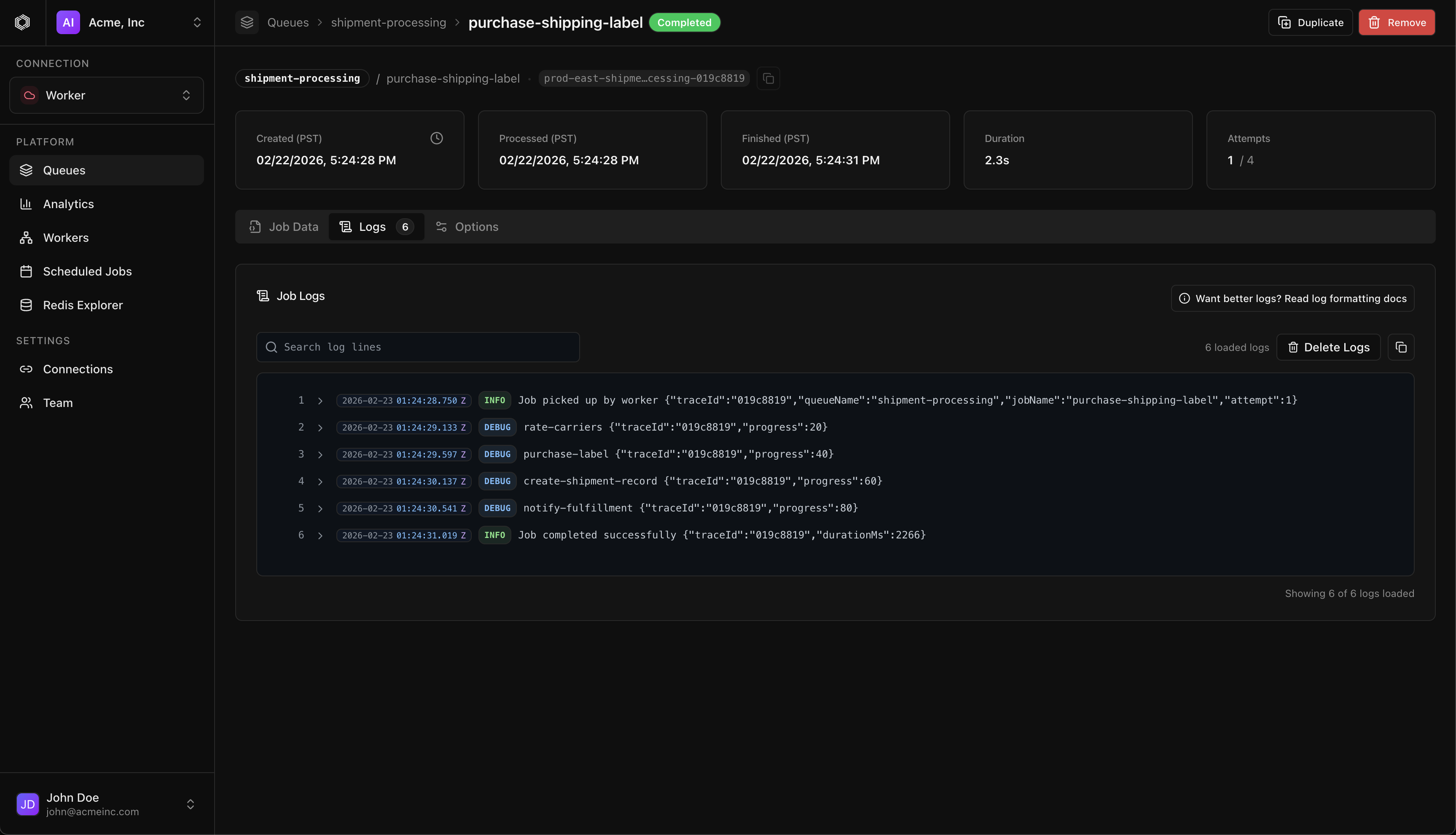
Built for on-call speed
Failed job → stack trace → logs → retry in one flow. Purge and delete require queue-name confirmation; obliterate is a separate unguarded action.
incident-first ux
Fleet-level intelligence
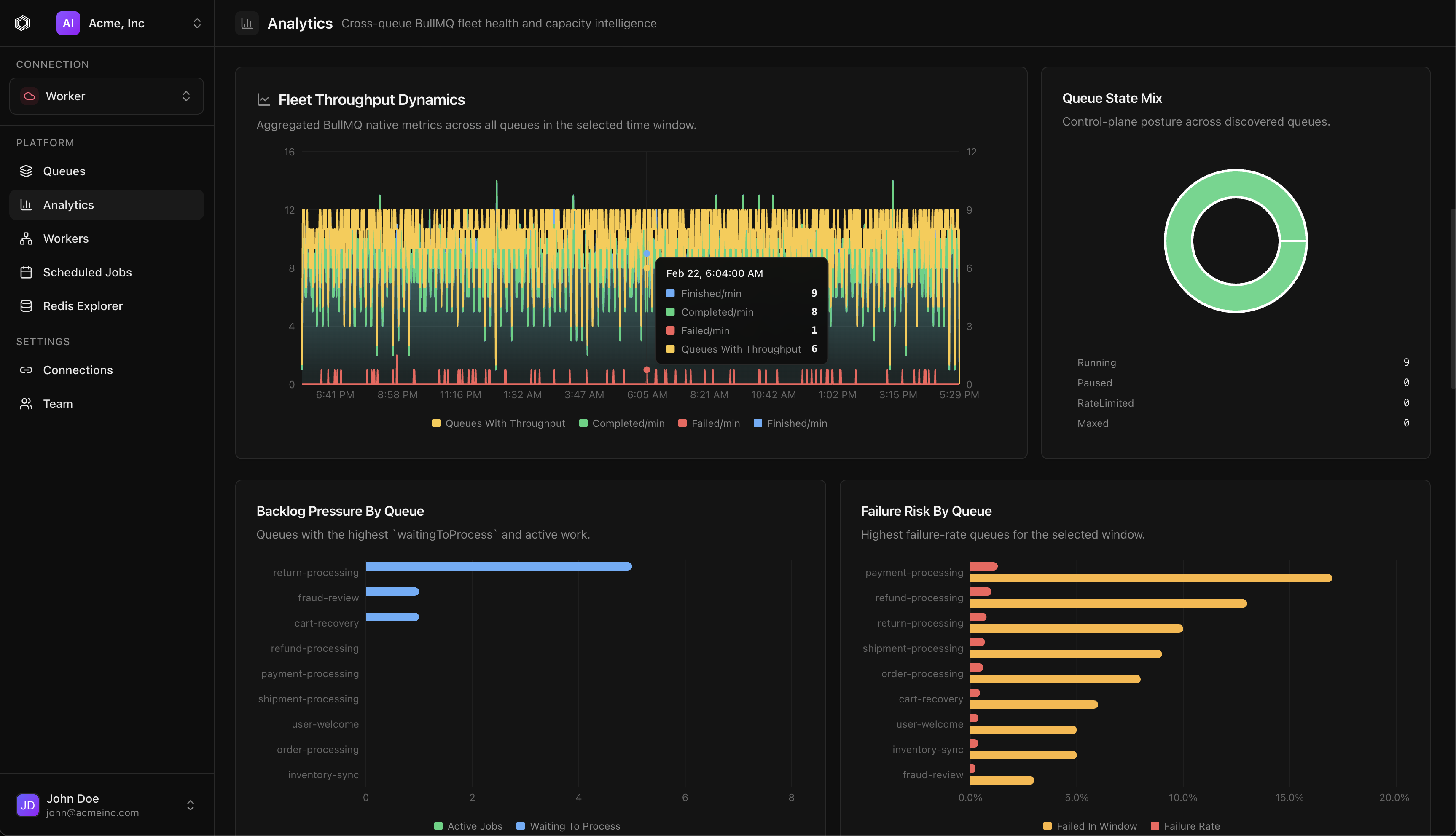
A health score, throughput trends, backlog pressure, and top risk queues across every queue on a connection — from BullMQ-native metrics.
no separate metrics database
Alerts that find you
Failure thresholds, failure rates, and stalled-queue rules run in a background monitor. Routes to email, signed webhooks, and Linear.
email · webhooks (hmac) · linear
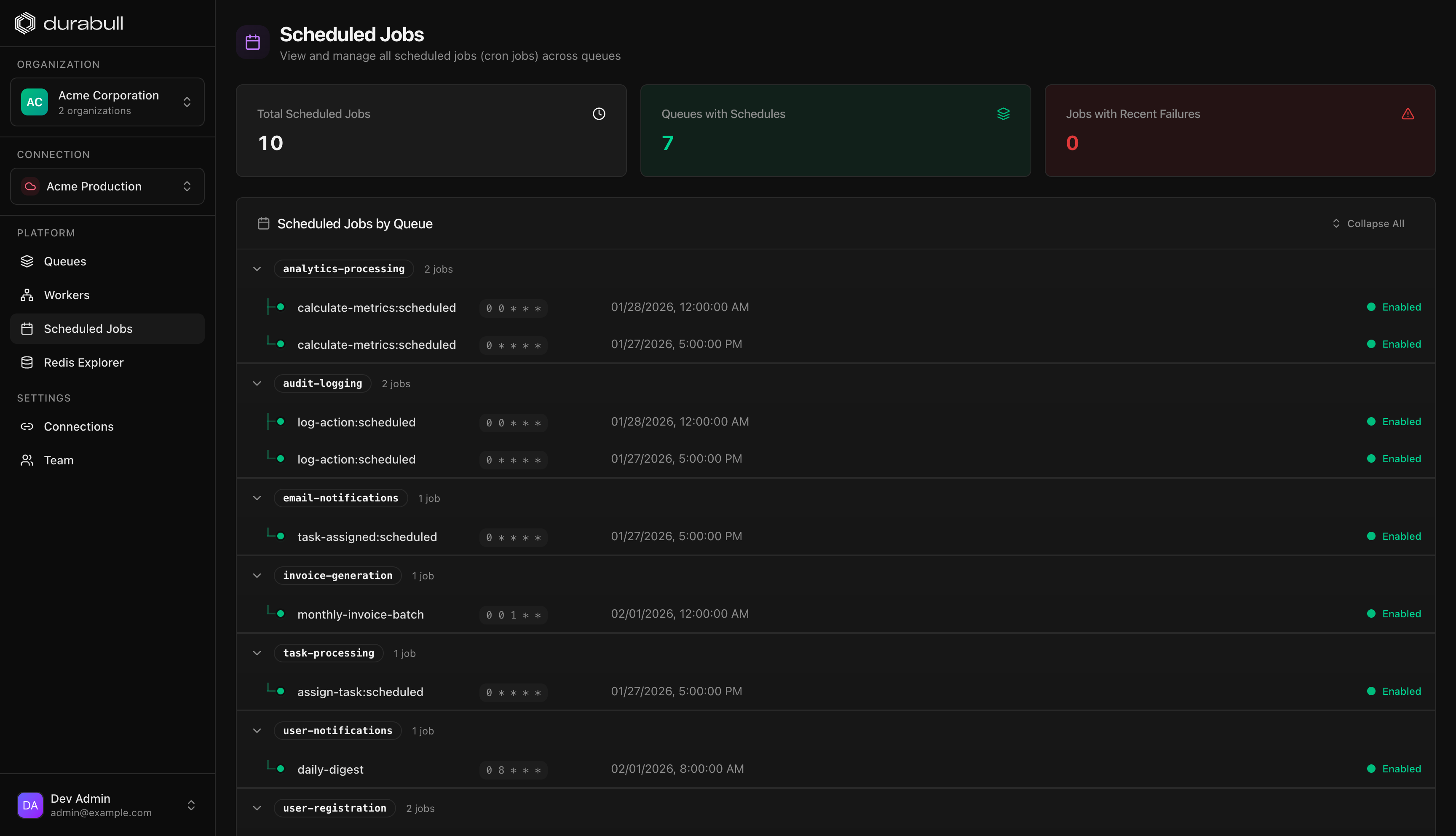
Every environment, one org
Production, staging, and dev Redis connections side by side. DB-managed or env-driven for reproducible deploys.
multi-connection
Your data stays yours
The API and browser read job data for inspection. Use rediss:// for Redis TLS, and self-host when processing must stay within your deployment.
privacy-conscious by design
Everything you need to operate queues
Durabull unifies your entire queue lifecycle — monitoring, debugging, scheduling, and fleet intelligence — into a single surface.
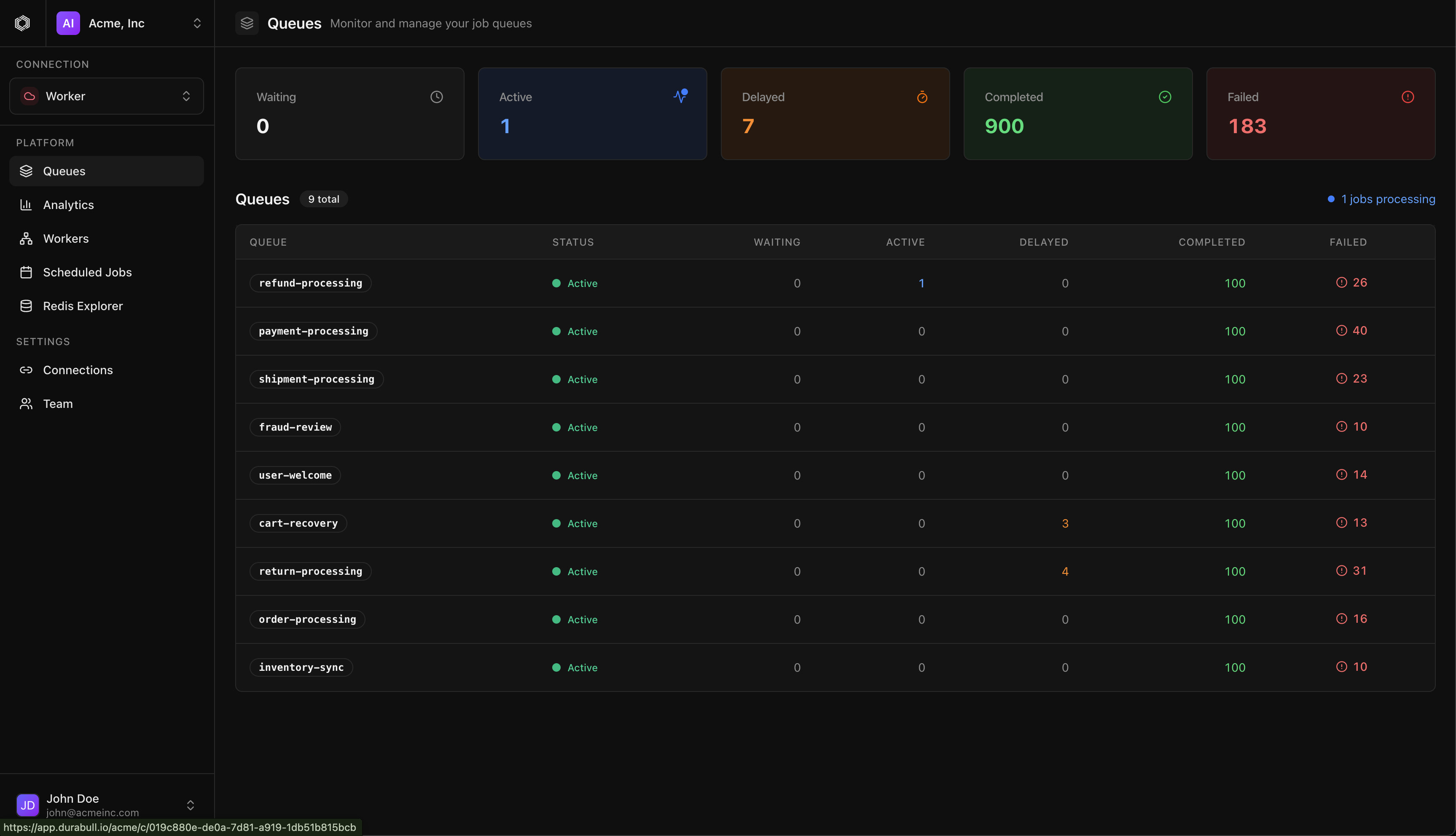
Queue command center
Every queue, one live surface
Connection-scoped dashboard with live counts for waiting, active, delayed, completed, failed, and paused jobs. Queues are discovered automatically from BullMQ meta keys.
- Drill from fleet view to queue to job in seconds
- Pause, resume, and clean queues with grace periods
- Purge and delete guarded by exact-name confirmation
Illustrative incident workflow
Background jobs are invisible — until they take you down.
Without Durabull
- 03:12payment-webhooks starts failing. Nobody notices.
- 03:40Backlog hits 40k. Retries hammer a flaky upstream.
- 07:55A customer emails: "Where is my invoice?"
- 08:20Someone SSHes in and runs KEYS bull:* in prod.
Example tools: ssh, redis-cli, log search.
With Durabull
- 03:12Failure-rate alert → signed webhook → PagerDuty middleware.
- 03:14On-call opens the failed job: stack trace, payload, attempts.
- 03:19Root cause found in logs. Bulk retry from the same screen.
- 03:21Linear issue auto-filed. Backlog drains. Back to bed.
Example tools: Durabull and your notification middleware.
Deploy your way
Cloud, desktop, or self-hosted.
Durabull is source-available under the Elastic License 2.0. Run it where your security model says it should run.
Durabull Cloud
Hosted and managed. Sign up, connect Redis, done. The fastest time to value.
Start FreeSelf-hosted
Docker on your own network, with persistent PGlite or PostgreSQL storage.
Deployment guideDesktop app
Native on Apple Silicon macOS and Windows. Local-first with encrypted saved connections.
DownloadVerify macOS DMG SHA-256Getting started
Run Durabull anywhere
Start in the hosted cloud, self-host with Docker on your own network, or install the native desktop app. Inspection needs no worker SDK; throughput charts require worker metrics. For Docker, follow the setup guide before running Compose.
Apple Silicon macOS · Windows · Docker
$ $ Honest pricing
Free during beta.
The hosted app is currently free during beta. You can also run Durabull on your own infrastructure under the Elastic License 2.0. Check published terms for future pricing.
Elastic License 2.0 · Self-host anytime · No vendor lock-in
Beta · everything included
$0/mo
- Unlimited Redis connections
- Unlimited queues & jobs
- Fleet Analytics
- Alerts: email, webhooks, Linear
- Team & organizations
- Desktop apps included
No credit card required.
FAQ
Frequently asked questions
Durabull is a dashboard for BullMQ queue operations: inspect jobs, debug failures, manage schedulers, track workers, and configure alerts.
Something else? hello@durabull.io — a human engineer replies within a business day.
Your queues are running right now
Know what they're doing — before 3 a.m. does.
Connect Redis to inspect your queues, workers, and failed jobs, then connect your agent to keep an eye on them with you. The hosted app is free during beta.
cloud · macOS & windows desktop · homebrew · docker self-host · any MCP agent